OpenAI dots fall short on coding. Here's exactly where
Where OpenAI dots fall short for coding, from plan limits to Codex environments, and how GetPullRequest runs your own coding agent on your machine instead.
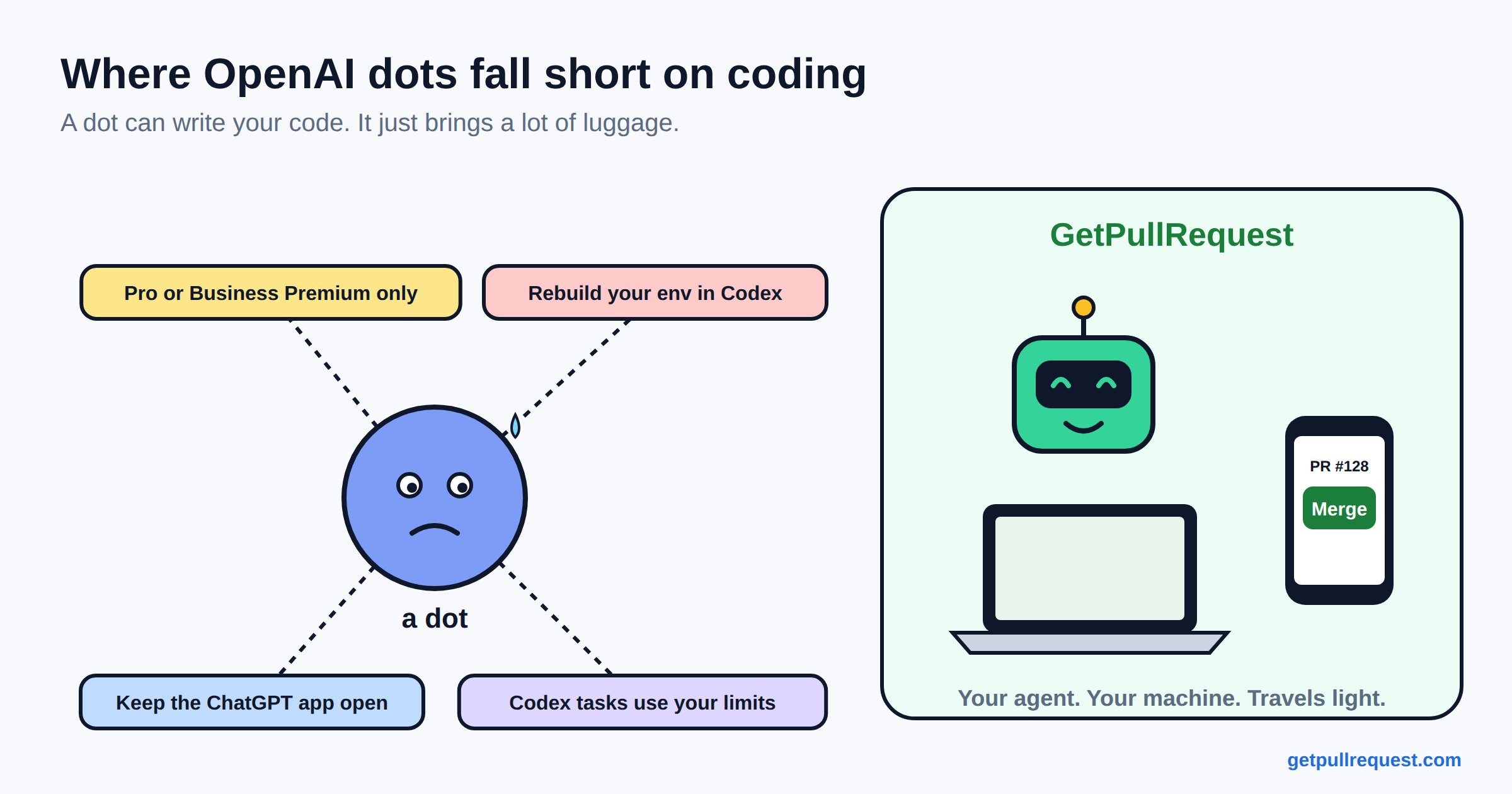
On September 29, OpenAI launched dots. A dot is an always-on agent that works for you in the background. It has its own cloud computer and browser, connects to more than 4,000 apps through plugins, and you talk to it in ChatGPT (desktop, web or mobile), Slack or Teams. Texting is "coming soon".
One of the examples OpenAI gives is for developers. Your dot watches customer feedback for recurring requests, picks out small fixes, builds and tests them, and "brings you complete PRs to review with attached videos showing the changes." That is very close to what GetPullRequest (GPR) does, so we wanted to write down honestly how OpenAI dots and GPR compare. (Videos of the change are a nice touch. Ours don't do that.)
TL;DR: Dots is a general assistant for everyone, running on OpenAI's cloud with OpenAI's model. GPR is only for developers. It runs the coding agent you already pay for (Claude Code, Codex, Cursor and others) on your own machine, takes work from a task board, GitHub, Jira or Slack, and lets you review and merge the pull request from your phone.
What dots and GPR have in common
Both are built around the same idea. You shouldn't have to sit in front of a terminal while an agent works. You hand it the work, it gets on with it, it asks you when it needs a decision, and it comes back with something you can review.
Both also keep a person in the loop. Dots come with built-in rules for when to act alone and when to ask, and you can add your own rules to allow, block or require approval for specific actions. In GPR, the agent asks you questions while it plans, and nothing gets merged until you merge it.
Where the agent runs
This is the biggest difference.
A dot works on its own cloud computer, and you can open that computer to see what it did. You can also give it permission to use your laptop, but by default your computer stays separate. For general work like drafting documents or checking accounts, that is a sensible design.
For code, it matters more. Your repo, your build setup, your database and your test data are on your machine. Before we built GPR, we tried running agents in hosted sandboxes. Getting our backend, Flutter app, database and daemon all running in a sandbox took a lot of work, and every time we wanted to check a change we had to build everything from scratch. So GPR runs the agent on your machine, where everything is already set up. The agent runs your tests the same way you do. The GPR backend never clones your repo. It keeps the task board and the session history (the agent's messages, tool calls and diffs) so your phone can replay them, sends notifications, and opens the pull request through GitHub or GitLab when you've connected one.
The trade-off is that your machine needs to be on. A dot can keep working when your laptop is closed. GPR waits until your machine is back, which is why some of us pair a second machine that stays on.
Which agent does the work
Dots run on OpenAI's GPT-6 Astra. You can ask your dot to start or manage tasks in Codex, and those count toward your normal ChatGPT usage limits. Just chatting with your dot doesn't.
GPR doesn't have its own agent. It runs the agents developers are already paying for: Claude Code, Codex, Cursor, Kiro, OpenCode, Qwen, Cline and Copilot. It talks to all of them through the Agent Client Protocol, so you can pick a different agent for each workspace. Our own team builds GPR with Cursor, Claude Code, Kiro and OpenCode, and nobody had to give up the one they liked.
If your team is all-in on OpenAI, this difference might not matter to you. If your team uses Claude Code, or a mix of agents, it matters a lot.
Who it's for
Dots is for everyone. OpenAI's examples include a sales lead, a scientist rerunning analyses as new data arrives, a content creator and someone running a product launch. One early tester's dot noticed he'd forgotten to invoice a publication, prepared the invoice and sent it once he approved.
GPR only does one thing: it gets coding tasks done and turns them into pull requests. Tasks come from a board in the app, from GitHub or GitLab issues, from Jira tickets or from an @gpr mention in Slack. Each task gets its own git worktree, and the agent plans, implements, verifies and opens a pull request. You can watch the session live, answer the agent's questions and merge the PR, all from your phone.
What it costs
Dots is rolling out to ChatGPT Pro and Business Premium, and Enterprise workspaces can try the beta once an admin turns it on. Your first dot comes with the plan at no extra cost, deeper work uses an allowance, and limits are extended for the first month. OpenAI hasn't published what happens after that, or pricing for more dots.
GPR has a free tier that covers projects, sessions, and the GitHub and Slack connections. You only pay if you want more workspaces or more tasks running at the same time. You also keep paying for your coding agent the way you already do, whether that's a Claude plan, a Cursor plan or ChatGPT for Codex.
Where dots fall short for developers
Dots is two weeks old, so there isn't much hands-on feedback yet. We went through OpenAI's own docs, the first user reports on OpenAI's developer forum, and the threads on Reddit and Hacker News. Here's what matters if you want a dot to write code.
| Where it falls short | What we found | How GPR handles it |
|---|---|---|
| Who can get it | Only ChatGPT Pro and Business Premium. Pro users in the EEA, Switzerland and the UK are left out at launch. One r/OpenAI thread is titled "Barrier to entry with dots is kinda absurd". | Free tier. You keep the agent plan you already have. |
| Setting it up | You can't create a dot on mobile, and mobile web isn't supported. Desktop app or desktop web only. | Run gpr setup once on the machine. Everything after that is from the phone. |
| Working on your machine | Your computer has to stay online with the ChatGPT app open. | The daemon runs in the background. No app needs to be open, but the machine does need to be on. |
| Your build setup | Cloud coding needs a Codex environment you create first, with dependencies and tests set up again in OpenAI's cloud. | Uses the build that's already on your machine. |
| Which agent | GPT-6 Astra, and Codex for coding tasks. | Claude Code, Codex, Cursor, Kiro, OpenCode, Qwen, Cline or Copilot. |
| Cost you can plan | Codex tasks your dot starts count toward your usage limits. Limits after the first month aren't published. | Your agent bill doesn't change. GPR charges only for more workspaces or more tasks at once. |
| Seeing what's running | The first user report on OpenAI's forum said it was "harder to tell what was actually running, what needed attention and where the latest result lived." The same post said the dot couldn't confirm which model a task was using, and its prototype code "passed static checks but still contained mistakes." | Every task is a card on the board with its state, and the verify step runs your tests before a PR opens. Agents still make mistakes, so you still review. |
| Company rules | Enterprise is a beta and off by default. During the beta there's no data residency, no strict zero data retention, and no dots for FedRAMP or EKM workspaces. | Your repo stays on your machine. GPR does store the session history, including diffs, so your phone can replay it. |
| Memory | The only way to clear what a dot has saved is to delete the dot. | GPR keeps no memory of its own. The agent sees the task and its session, and you can scroll through both. |
None of this makes dots bad. It's a general assistant that also writes code, and OpenAI built it for everyone first. For a developer, though, it's one more place to set up your build, and one more model you didn't pick.
Where GPR falls short today
Dots can do far more than code. It can draft documents, prepare invoices and work across thousands of apps. GPR can't do any of that, and we don't plan to.
GPR also needs your machine to be on, and the iOS app isn't in the App Store yet. We're actively working on getting it approved. Android is available today. Dots works from ChatGPT on desktop, web and mobile, and from Slack and Teams.
So which one should you use?
If you want one assistant that helps with all kinds of work, and you're happy with OpenAI's models and cloud, try dots.
If you want an end-to-end assistant for your coding work, pick GPR. It gets the work done. A ticket goes in, and a tested pull request comes out. It runs on your own machine, with the agent you already pay for, and you review and merge from your phone.
Dots helps with everything. GPR ships your code.
You can also use both. If your dot is connected to GitHub, it can file an issue with the gpr:agent label, and GPR will pick it up.
Try GPR
Get the app on Google Play, then run this on the machine where your code lives:
curl -fsSL https://getpullrequest.com/install | bash
cd ~/code/your-repo
gpr setup        # scan the QR code with the app
Keep reading
- Ship code from your phone with the AI coding agents you already pay for
- Your AI coding agent is stuck in a terminal you have to babysit. So we built GetPullRequest
- Agent Client Protocol (ACP) is the most important AI coding standard nobody's talking about
- Claude Code Remote Control is great. It's also not enough
- AI can run the software factory. It can't turn the lights off yet